Public Windows beta · setup guide
Download, get access and connect.
RSL Drafter is a Windows bot for RAID: Shadow Legends Live Arena. Public build 0.1.2 targets RAID build 11.75.0. Download is open; using the app still requires an approved account.
1. Get the public build and request access.
Download RSL Drafter 0.1.2 from the GitHub release page. If you do not have an approved account, submit an application and verify your email. A person reviews it. If approved, the invitation email lets you create your username and account.
2. Start sign-in in RSL Drafter.
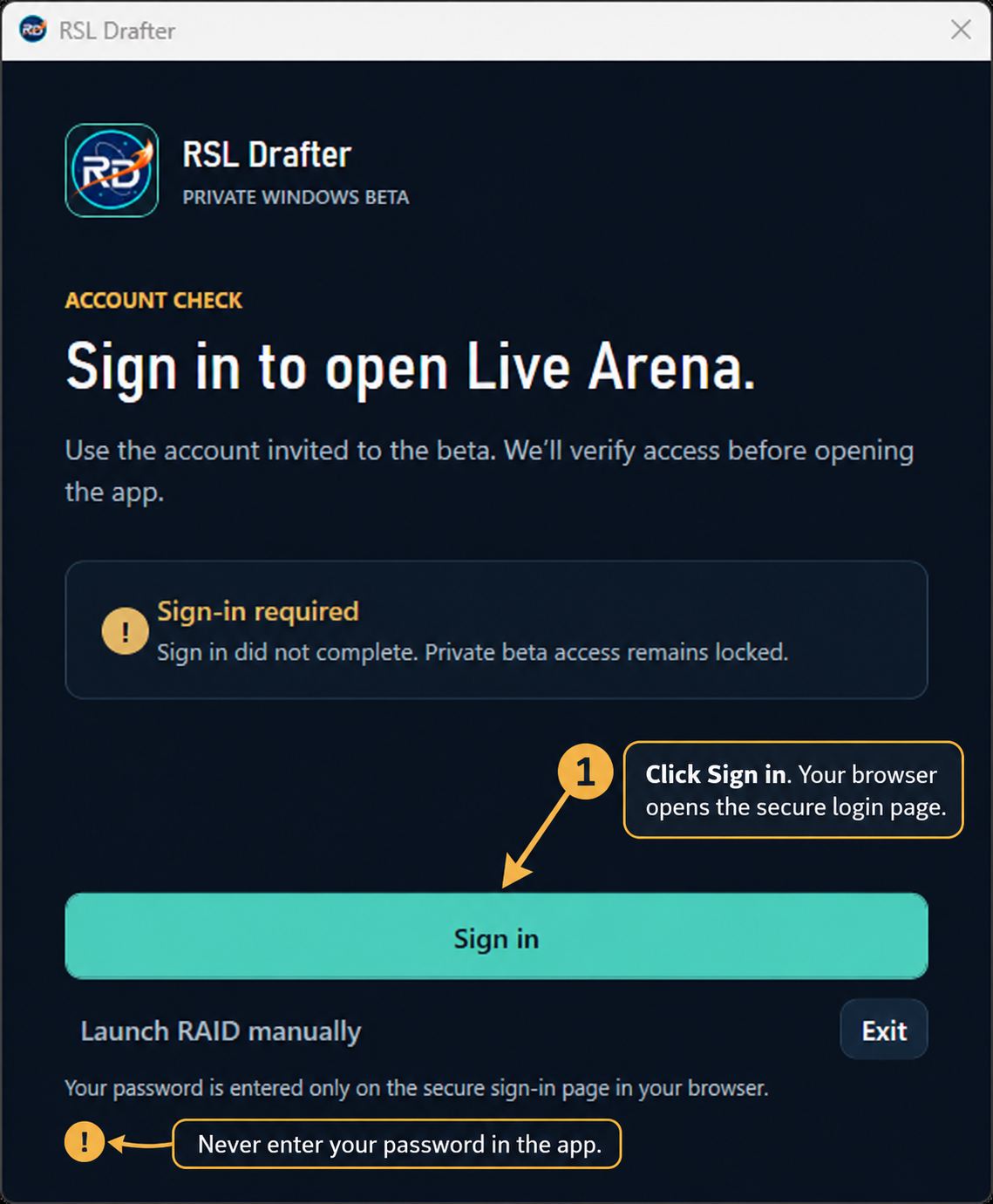
Open the app and click Sign in. It opens your browser to the secure sign-in page. Keep your password in the browser; the app never asks you to type it there.
3. Sign in in your browser.
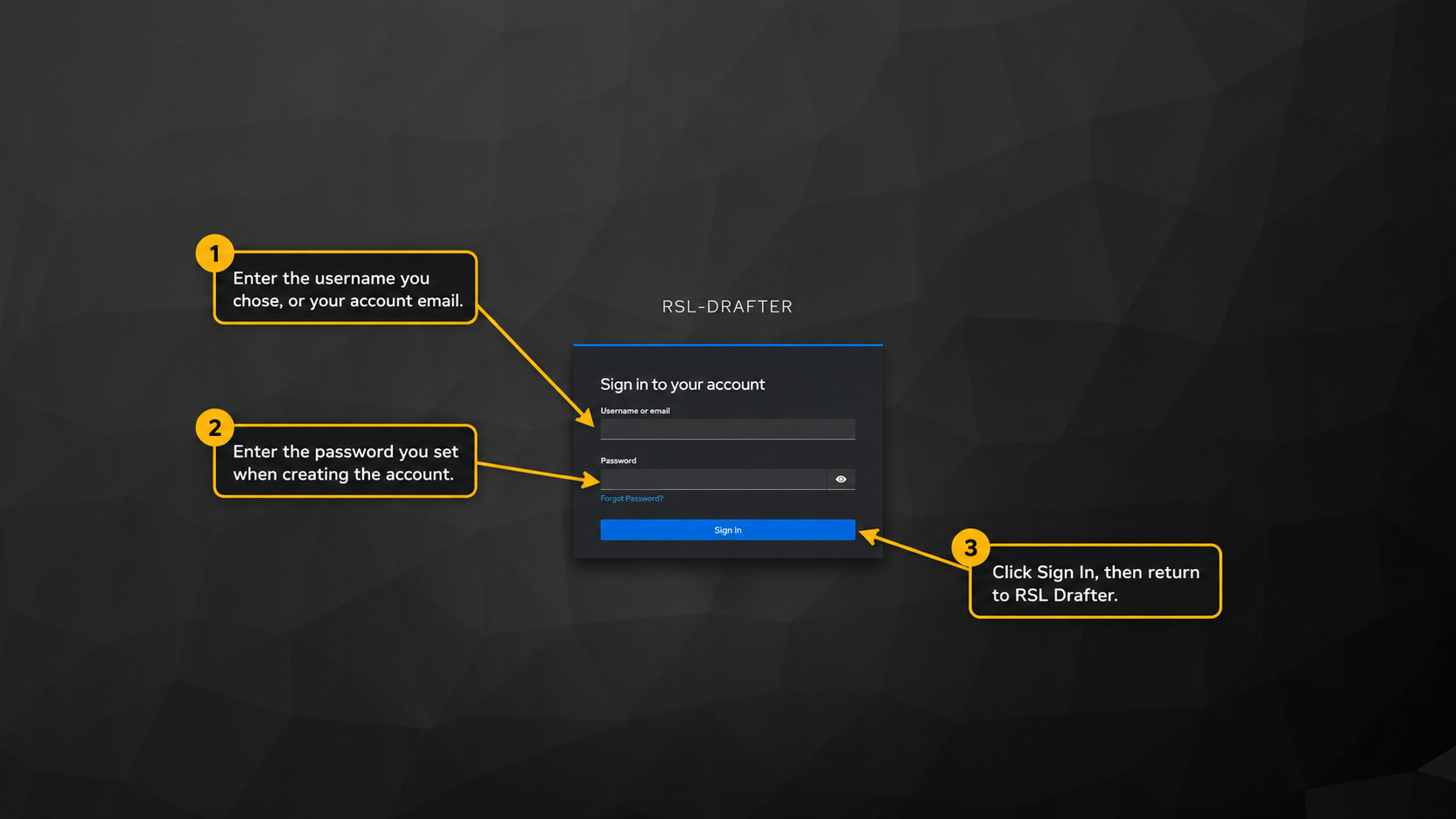
Enter the username you chose when creating the account, or your account email, then enter the password you set through the invitation email. Click Sign In. Do not share your password or invitation link.
4. Return to the app and connect RAID.
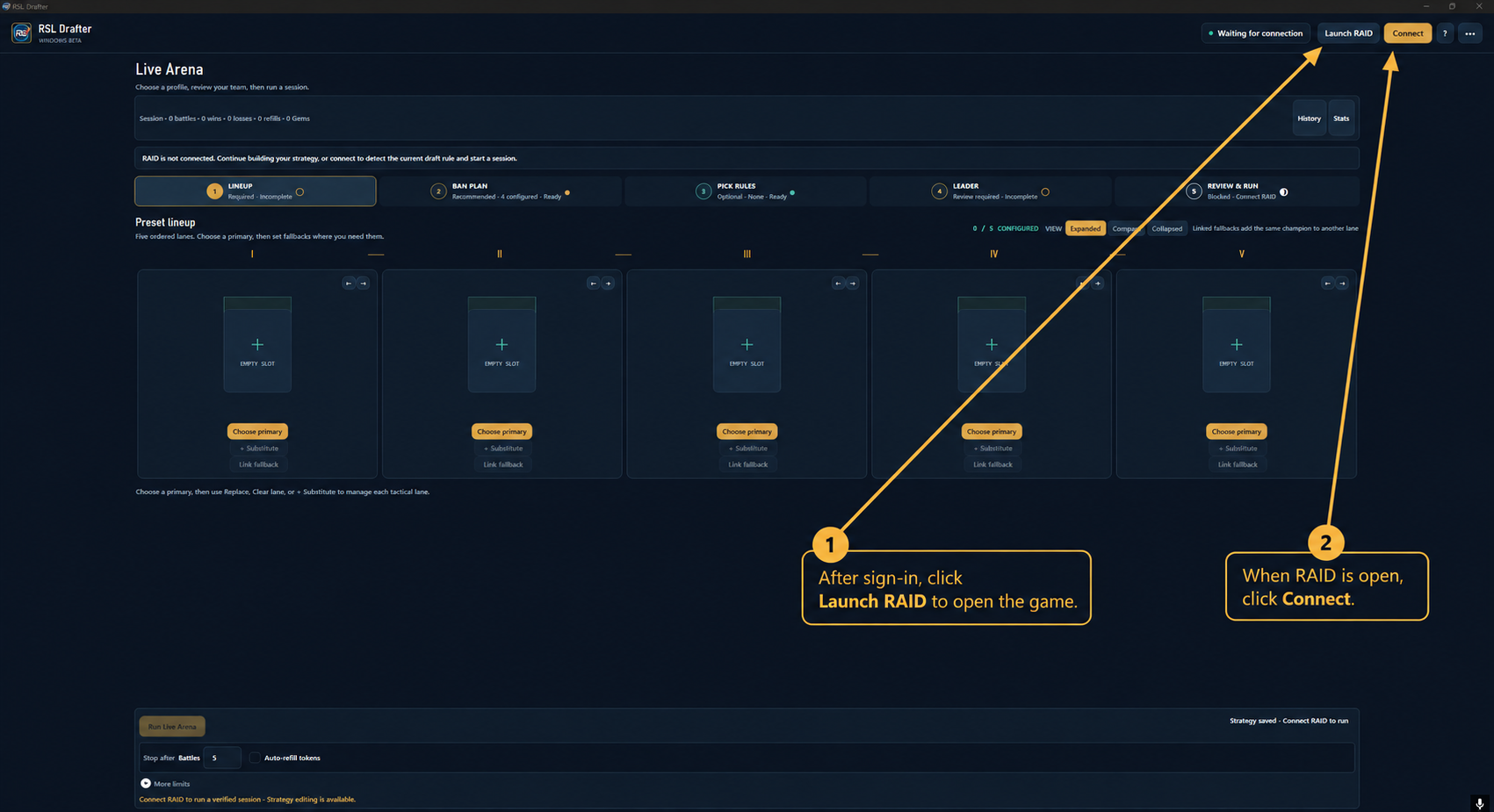
After the browser finishes signing in, return to RSL Drafter. Click Launch RAID, then click Connect when the game is open. Signing in to your beta account and connecting to the game are separate steps.
If something does not work.
- If the app still says sign-in is required, start again with Sign in in the app and finish the browser flow.
- If sign-in succeeds but beta access is denied, contact the beta team to check your access grant; creating another account will not fix it.
- The public download does not grant app access by itself. If sign-in succeeds but beta access is denied, contact the beta team to check your access grant; creating another account will not fix it.